
On this page
Key takeaways
- AEO technical work comes in five steps: measure, access, structure, validate, then content and trust. Measure first so you can show what changed.
- Allow the AI crawlers you want in robots.txt. If your site is behind a CDN or firewall, check its bot settings too: it can block crawlers that robots.txt allows. Server logs are the proof.
- Many AI crawlers don’t run JavaScript. If your key text isn’t in the HTML, they don’t see it.
- Add JSON-LD for your organization, services, articles, FAQs and breadcrumbs, and make sure it matches what the page shows.
- llms.txt is cheap to add, but no major AI assistant has confirmed it uses it. Do it last.
- Validate after every template change, then rescan in 6 to 8 weeks.
What is an AEO checklist? It’s the list of website changes that let AI assistants such as ChatGPT, Gemini and Perplexity find your pages, read them and quote them in their answers. It has five parts: measure where you stand, give AI crawlers access, add structured data, validate it, and write content AI can quote. Most of it is ordinary technical SEO, with a few AI-specific additions: crawler rules, rendering without JavaScript and, optionally, llms.txt.
This checklist is for the developer or SEO specialist who has to make the changes. Work through it in order.
Not sure where your site stands today? Run our free AI visibility checker on a key page. It checks crawler access, structured data, content and trust signals, and compares you with 3 competitors.
Terms used in this checklist
| Term | Meaning |
|---|---|
| AI crawler | A bot that fetches web pages for an AI company, for search answers or for training |
| Mention | Your company named in an AI answer |
| Citation | Your page linked as a source in an AI answer |
| AI visibility | How often AI assistants mention or cite you for your buyers’ questions |
| AEO score | How ready a page is for AI assistants to read and quote (0 to 100) |
The checklist at a glance
| Step | What to do | Tools |
|---|---|---|
| 1. Measure | Record a baseline before you change anything | Search Console, Bing Webmaster Tools, GA4, server logs, citation tests |
| 2. Access | Let AI crawlers reach and read your pages | robots.txt, CDN and firewall rules, server-side rendering, sitemaps, IndexNow, llms.txt |
| 3. Structure | Describe your business and pages in JSON-LD | Organization, Service, Article, FAQPage, BreadcrumbList |
| 4. Validate | Prove the markup is read the way you meant | Rich Results Test, Schema.org validator, URL Inspection |
| 5. Content and trust | Make pages easy to quote and your details consistent | Headings, dates, authors, directory listings |
A copy of the checklist for your project tracker:
- ☐ Baseline recorded (citations, AI referrals, crawler hits, citation test)
- ☐ AI crawlers allowed in robots.txt
- ☐ CDN or firewall bot settings checked (if you use one)
- ☐ Key content visible without JavaScript
- ☐ Canonical tags correct, no accidental noindex or nosnippet
- ☐ Sitemap submitted to Google and Bing
- ☐ IndexNow enabled
- ☐ llms.txt added (optional)
- ☐ JSON-LD added: Organization, Service, Article, FAQPage, BreadcrumbList
- ☐ Schema validated in the Rich Results Test and the Schema.org validator
- ☐ FAQ content with direct answers on key pages
- ☐ Business details consistent across directory profiles
- ☐ Results remeasured after 6 to 8 weeks
1. Measure first
Without a baseline, you can’t show that any of this worked. Many teams start changing schema, robots.txt and page content straight away, and then can’t prove whether any of it improved their visibility. Before you change anything, record:
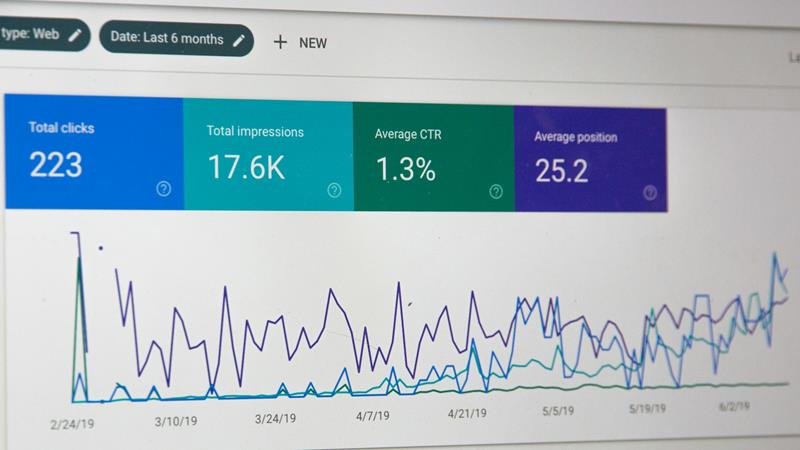
- Citations in Google’s and Microsoft’s AI. Google Search Console’s generative AI performance reports show how often your pages appeared in AI Overviews and AI Mode, by page, country, device and date (impressions only: no clicks or queries). Bing Webmaster Tools’ AI Performance report shows citations in Copilot and Bing’s AI answers, by page, with the queries behind them.
- AI referral traffic in GA4. Create a custom channel group, "AI assistants", where the source matches:
chatgpt\.com|perplexity\.ai|gemini\.google\.com|copilot\.microsoft\.com|claude\.ai- AI crawlers in your server logs. Check that GPTBot, OAI-SearchBot, PerplexityBot and ClaudeBot reach your key pages and get a 200 response.
- Citation tests. Neither Search Console nor Bing covers ChatGPT, the Gemini app or Perplexity, and neither shows your competitors. For those, ask the assistants your buyers’ questions directly: how to check your AI visibility walks through it by hand, or our free AI visibility checker runs 135 answers for one page and compares you with 3 competitors.
GA4 shows visits, not mentions: an AI answer can name you without anyone clicking. That’s why the citation test matters.
2. Access: let AI crawlers in
Allow the AI crawlers you want in robots.txt
Each AI company runs its own crawlers, and robots.txt controls each one by name. Some crawl to train models, some to fetch pages for search answers. You can decide per crawler:
| Crawler | Company | What it’s for |
|---|---|---|
| GPTBot | OpenAI | Training data for OpenAI’s models |
| OAI-SearchBot | OpenAI | Search results in ChatGPT. Block it and your pages won’t appear in ChatGPT search answers. |
| ChatGPT-User | OpenAI | Opens a page when a ChatGPT user’s question needs it. User-triggered, so OpenAI says robots.txt may not apply. |
| ClaudeBot | Anthropic | Training data for Claude |
| Claude-SearchBot | Anthropic | Indexing for Claude’s search results |
| Claude-User | Anthropic | Opens a page when a Claude user’s question needs it. Follows robots.txt. |
| PerplexityBot | Perplexity | Perplexity’s search results. Perplexity says it isn’t used for model training. |
| Perplexity-User | Perplexity | Opens a page when a Perplexity user’s question needs it. Generally ignores robots.txt. |
| Google-Extended | Whether Gemini models may use your content for training, and for grounding answers in the Gemini app and Vertex AI. It’s a robots.txt token, not a separate crawler, and doesn’t affect inclusion in Google Search. | |
| Bingbot | Microsoft | Bing search, which also grounds Copilot’s answers |
The simplest robots.txt allows every crawler, AI ones included:
# robots.txt: allow all crawlers
User-agent: *
Allow: /

Sitemap: https://yourdomain.com/sitemap.xml
To keep crawlers out of an admin area, add a Disallow line under User-agent: *, for example Disallow: /admin/. Everything else stays open. If your robots.txt already looks like this, every AI crawler is allowed and you don’t need to name them.
Name crawlers only when you want to treat them differently. A common choice is to allow the search crawlers and block the training ones:
# robots.txt: allow AI search, block AI training
User-agent: *
Allow: /

User-agent: GPTBot
Disallow: /

User-agent: ClaudeBot
Disallow: /

Sitemap: https://yourdomain.com/sitemap.xml
A crawler follows the most specific group that names it, so GPTBot and ClaudeBot are blocked while OAI-SearchBot, Claude-SearchBot, PerplexityBot and the rest fall under User-agent: * and stay allowed. Blocking search crawlers means those assistants can’t cite you. Be careful with Google-Extended: it isn’t only about training, so blocking it can also keep your content out of Gemini app answers.
Then check the layers above robots.txt
robots.txt only asks crawlers to stay out or come in; it doesn’t enforce anything. Other layers can still turn crawlers away:
- If your site is behind Cloudflare or another CDN or firewall, check its bot settings. The CDN decides who gets in, whatever robots.txt says. Since July 2025, Cloudflare blocks AI crawlers by default on new domains, and bot-protection modes meant to stop scrapers can block AI crawlers too. If you don’t use a CDN or firewall, skip this step.
- Rate limits and bot challenges. A CAPTCHA or JavaScript challenge returns a challenge page to a crawler instead of your content.
- Server logs are the proof. If GPTBot or PerplexityBot never get a 200 on your key pages, something is blocking them.
Make sure your content is in the HTML
Many AI crawlers don’t run JavaScript. If your page builds its text in the browser, as many single-page apps do, those crawlers see an empty shell. Test what they get:
curl -s https://yourdomain.com/page | grep "a key sentence from the page"No match means the text isn’t in the HTML. "View source" in a browser (not "Inspect") shows the same thing. The fix is server-side rendering or prerendering for the pages you want cited.
Sitemaps, indexing and canonicals
- An XML sitemap with accurate
lastmoddates, submitted to Google Search Console and Bing Webmaster Tools. - IndexNow, so Bing (and through it, Copilot) hears about changes right away instead of on the next crawl.
- Correct canonical tags, and no accidental
noindexon pages you want cited. Wrong canonicals are more common than you’d think: pointing to an old URL after a redesign, to a staging site, to the http version, or to a parent page. Search engines, and the AI answers built on them, then treat a different URL as the main version of your page. - No
nosnippetormax-snippet:0on those pages: they tell search engines, and the AI answers built on them, not to quote the page.
Add an llms.txt file (optional)
llms.txt is a proposed standard: a Markdown file at your site root (/llms.txt) that points AI tools to your most important pages. The format is simple:
- an H1 with your company or site name (the only required part);
- a one-line summary in a blockquote (
>); - optional paragraphs with more context;
- H2 sections, each a list of links, with a short description after each link.
llms.txt example:
# Your Company

> Your Company provides managed IT services, cybersecurity and help desk support for small and mid-sized businesses in [city or region].

## Services
- [Managed IT services](https://yourdomain.com/managed-it-services/): monitoring, patching and help desk support for a fixed monthly fee
- [Cybersecurity](https://yourdomain.com/cybersecurity/): endpoint protection, email security and staff training
- [Microsoft 365](https://yourdomain.com/microsoft-365/): migration, licensing and administration

## Industries
- [Healthcare IT](https://yourdomain.com/industries/healthcare/): IT support for clinics and medical practices

## Free tools
- [Network assessment](https://yourdomain.com/network-assessment/): a free review of your network and security

## Case studies
- [Dental group moves to managed backups](https://yourdomain.com/case-studies/dental-group/): monitored backups and support across 6 offices
For a real one, see ours. Generate it from your CMS or sitemap, as we do, rather than writing it by hand, so new pages appear in it automatically. A hand-written file goes out of date the first time someone adds a page.
No major AI assistant has confirmed it reads llms.txt. It takes half an hour, so add it, but do everything else on this list first.
3. Structure: add JSON-LD structured data
Structured data tells machines in plain terms what a page is about: who the business is, what a service covers, who wrote an article and when. Use JSON-LD in a <script type="application/ld+json"> tag.
| Schema type | Use it for |
|---|---|
| Organization (or LocalBusiness) | Your name, logo, address, phone, and sameAs links to LinkedIn, Clutch, BBB and other profiles. Once, site-wide. |
| Service | Each service page: what you offer and where |
| Article or BlogPosting | Blog posts and guides, with author, datePublished and dateModified |
| FAQPage | Pages with visible questions and answers |
| BreadcrumbList | Every page below the homepage |
An Organization example to adapt:
<script type="application/ld+json">
{
  "@context": "https://schema.org",
  "@type": "Organization",
  "name": "Your Company",
  "url": "https://yourdomain.com",
  "logo": "https://yourdomain.com/logo.png",
  "telephone": "+1-555-555-5555",
  "sameAs": [
    "https://www.linkedin.com/company/your-company",
    "https://clutch.co/profile/your-company"
  ]
}
</script>
Three rules:
- Markup must match the page. Every fact in the JSON-LD should be visible on the page. Markup that doesn’t match can be ignored, or in Google’s case, penalized.
- Keep your name, address and phone identical to your Google Business Profile and directory listings.
- Use
sameAs. It connects your site to your profiles and reviews, which helps AI assistants recognize you as the same business everywhere.
What about FAQ schema? Google stopped showing FAQ rich results for all sites on May 7, 2026. FAQPage markup is still worth adding to pages with real questions and answers, because it gives AI assistants your answers in a clean, machine-readable form. The JSON-LD must match the visible questions and answers word for word.
4. Validate everything you add
| Tool | What it tells you |
|---|---|
| Google Rich Results Test | Whether Google can read your markup and which rich results the page qualifies for |
| Schema.org validator (validator.schema.org) | Whether every schema type is valid against the full Schema.org vocabulary, including FAQPage, which Google’s tools no longer check |
| Search Console URL Inspection | How Googlebot renders the live page, and whether it’s indexed |
| Search Console structured data reports | Markup errors across the whole site over time |
Use both of the first two: the Rich Results Test is Google-specific, and the Schema.org validator checks everything else. Validate after every template change, not just once. One broken template can break the markup on hundreds of pages.
5. Content and trust: make pages easy to quote
Technical access gets your page read. Whether it’s quoted depends on the content. AI assistants favor pages that answer a question directly in a sentence or two. On every key page:
- Headings phrased as the questions buyers ask.
- A direct answer in the first sentence of each section, then the detail.
- Tables for comparisons, lists for steps.
- One topic per page, with a clear title and H1.
- A visible "last updated" date that matches
dateModifiedin the schema. - A named author, with credentials where they matter.
- Sources linked for facts and figures.
- Internal links between related pages.
Keep your business details consistent everywhere
AI assistants cross-check your website against other sources. A different address on an old directory listing, or a former company name, can make them less confident about naming you. Make your name, address, phone and description match on:
- your website and its Organization schema;
- Google Business Profile and Bing Places;
- Clutch, LinkedIn, BBB and your industry’s directories.
Then encourage reviews on the platforms your buyers use, and earn mentions on reputable industry sites. Those are often the sources AI answers cite.
How long until it makes a difference?
Access fixes (robots.txt, a firewall rule, server-side rendering) can take effect as soon as the crawlers come back. OpenAI, for example, says a robots.txt change reaches ChatGPT search in about 24 hours. Citations take longer: AI assistants have to find the changed pages, read them and start choosing them. Expect about 6 to 8 weeks before citations change. Rescan then, with the same questions, and compare with your baseline.
How the checker uses this checklist
Our AI visibility checker scores a page on these same areas. Crawl access (robots.txt for AI crawlers, content without JavaScript, snippet rules, canonical, sitemap, llms.txt) is 20% of the AEO score, structured data 25%, content answerability 35%, and trust signals and technical health 10% each. Each failed check comes with the fix, often the schema code ready to paste. The weights and checks are on the methodology page, and how to read the numbers is in what is a good AI visibility score?
Frequently asked questions
Should I block GPTBot?
It depends on whether you mind your content training OpenAI’s models. Blocking GPTBot stops training use, but ChatGPT search uses a different crawler, OAI-SearchBot. Many businesses block GPTBot and allow OAI-SearchBot, so they can still be cited in ChatGPT answers.
Does llms.txt help with AI search?
Probably not much yet. llms.txt is a proposed standard, and no major AI assistant has confirmed it uses the file. It’s cheap to add, so add it, but crawler access, rendering and structured data matter far more.
Do AI crawlers run JavaScript?
Many don’t. If your page’s text only appears after JavaScript runs, those crawlers see an empty page. Check with curl or "view source", and use server-side rendering or prerendering for pages you want cited.
Which schema types matter most for AI search?
Start with Organization (site-wide), then Article on blog posts, Service on service pages, BreadcrumbList on every page below the homepage, and FAQPage where the page shows real questions and answers. The markup must match what the page shows.
Does schema markup improve AI visibility by itself?
No. Schema helps AI assistants understand a page, but it doesn’t guarantee citations. The page still has to be accessible, answer buyer questions directly, and be backed by sources AI assistants trust, such as reviews, directories and industry sites.
Is FAQ schema still worth adding?
Yes, on pages with real questions and answers. Google stopped showing FAQ rich results on May 7, 2026, but the markup still gives AI assistants your answers in a clean, structured form. Validate it with the Schema.org validator, since Google’s tools no longer check it.
Does Google-Extended affect AI Overviews?
Google says Google-Extended doesn’t affect inclusion in Google Search, and AI Overviews and AI Mode are part of Search, crawled by Googlebot. What Google-Extended does control is whether Gemini models may train on your content and use it to ground answers in the Gemini app and Vertex AI. So blocking it won’t remove you from AI Overviews, but it can keep you out of Gemini app answers.
How do I know if AI crawlers can access my site?
Look in your server logs for the crawler user agents (GPTBot, OAI-SearchBot, PerplexityBot, ClaudeBot) on your key pages, and check that they get a 200 response. If they’re missing or get errors, check robots.txt, then your CDN or firewall’s bot settings.
Want to see where your page stands on every item here? Check your AI visibility for free, or talk to us: our developers can make these changes for you.

Join the discussion
No comments yet.
Leave a Reply