
Company Background
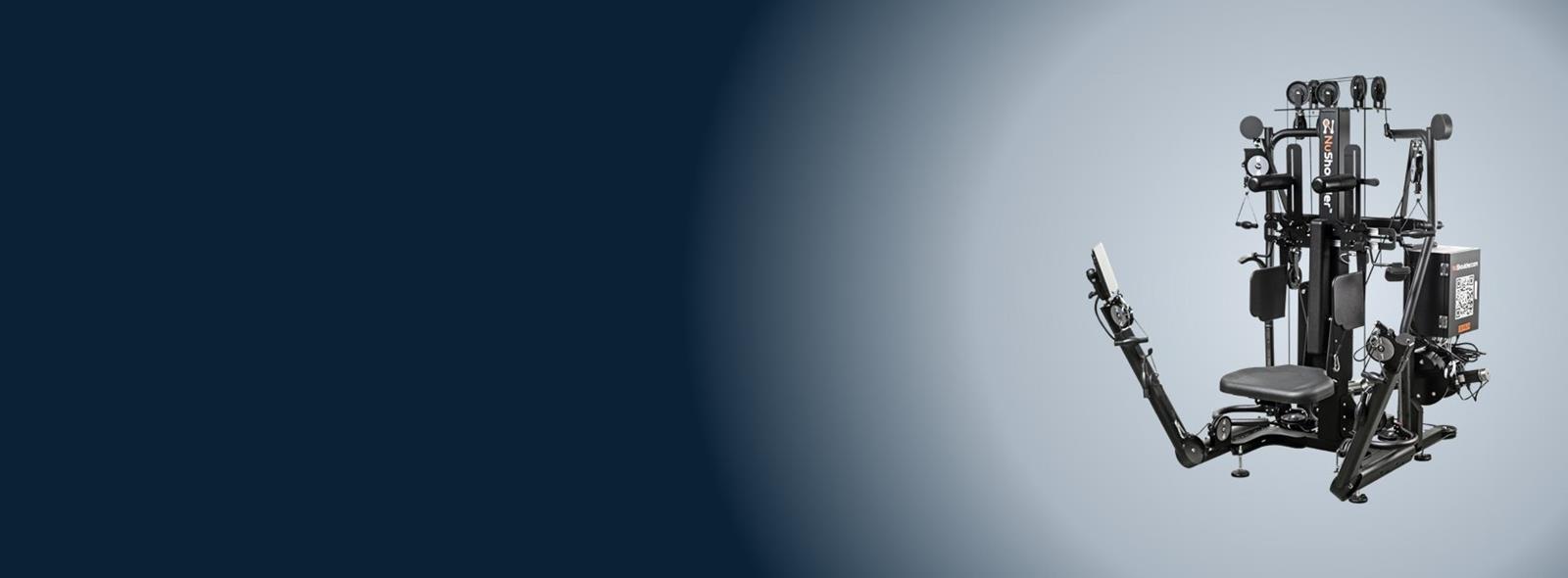
NuShoulder makes shoulder-strengthening equipment used by university athletic programs, professional athletes and physical therapy clinics. To bring its machine to life, it needed custom software that could guide users through each exercise, control the machine and keep a record of every session.
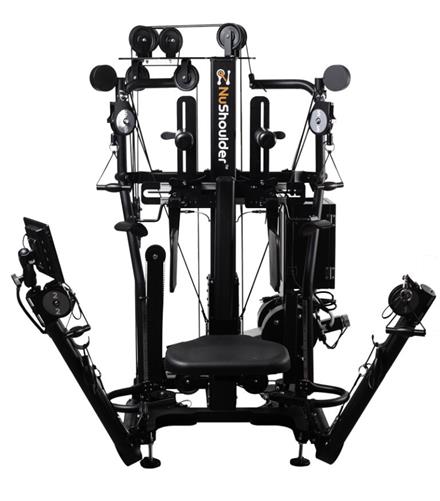
The machine trains the rotator cuff, the group of muscles that keeps the shoulder joint stable. It isolates those muscles and holds the user in the right position through each movement. Athletes in football, baseball and golf use it to strengthen the shoulder, and clinics use it to help patients recover after shoulder surgery.
Challenge
NuShoulder had designed and built the machine and wired it to an industrial touch-screen PC and an I/O controller. What it didn’t have was the software.
Rotator cuff training only works when each exercise is done at the right weight and in the right way. Some are isotonic: pull a set weight a set number of times. Others are isometric: pull and hold a set weight for a set time. NuShoulder needed an app that would:
- Guide people on their own. Walk users through each exercise with videos, images and tips, so athletes and patients can train without a coach standing by.
- Work for two very different audiences. Look polished to professional athletes and be simple for a patient recovering from surgery.
- Drive the hardware. Set the weight and seat height from the screen, read each movement from the controller, and be calibrated at each new site.
- Keep a record. Save every session, even when the machine is offline, and send it to NuShoulder’s cloud so users can follow their progress on their phones.
What SharpQuest Did
- Designed and built the machine’s software, from the touch screen to the controller
- Designed a touch-screen UI for athletes and patients
- Built a .NET MAUI kiosk app for Windows
- Built an admin panel for setup and calibration
- Added isometric training, user profiles, and sign-up on the phone
- Integrated with NuShoulder’s cloud API, with offline storage
Solution
The app is the only thing a user sees: the PC boots straight into it, with no Windows desktop or menus. Users sign up on their phone, then sign in at the machine by entering their mobile number, or simply start as a guest.
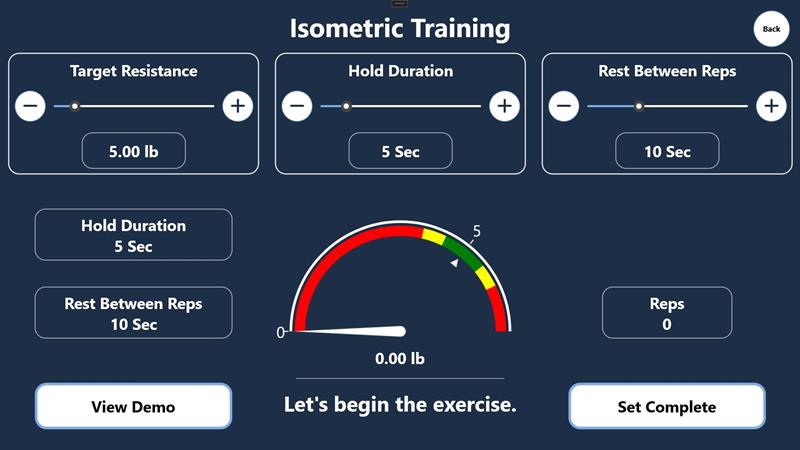
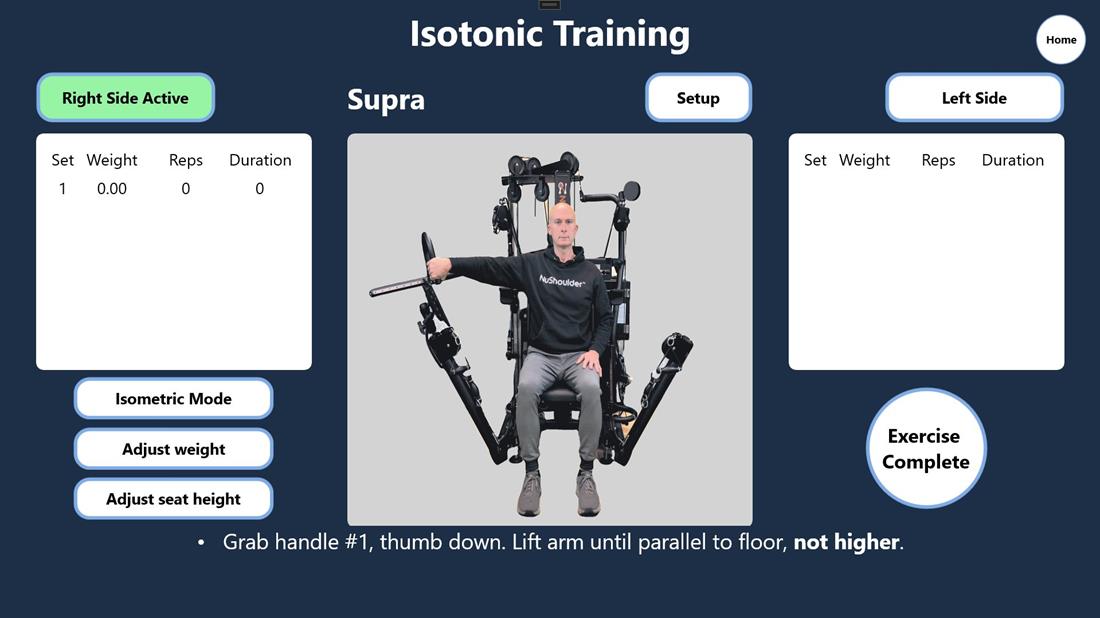
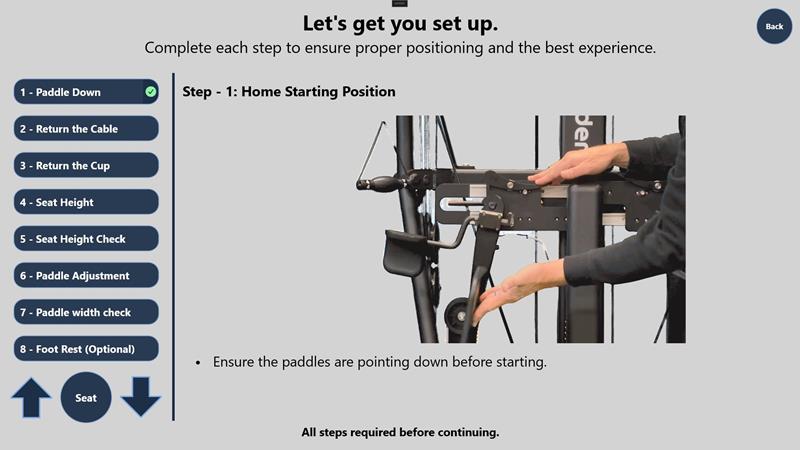
For each of the five movements (Supra, Infra, Teres, Subscap and the House Combo), a setup checklist walks the user through positioning the seat, paddles and cable, with images and tips, and won’t continue until every step is done. The user sets the weight and seat height on the touch screen and starts, and a video plays while they do the exercise. In isotonic mode the app logs the weight, reps and duration of each set, for the right and left arm separately. In isometric mode the user sets a target resistance, hold time and rest between reps, and a live gauge shows how hard they’re pulling against the target. Large controls and clear feedback mean a patient can follow it as easily as an athlete.
We built the app in C# with .NET MAUI, running as a kiosk app on Windows 10 and 11. It talks to the machine’s I/O controller to set the weight, move the seat and read each movement.
The machines sit in training rooms and clinics where the internet connection isn’t always reliable, so we made the app offline-first. It works normally without a connection and saves each session on the PC in SQLite. When the connection is back, it uploads the data to NuShoulder’s cloud API, so users can see their history and get notifications on their phones.
Each machine is set up on site, so we also built an admin panel that only installers can open. It switches the machine between athlete and clinic mode, sets the controller parameters, and calibrates weight and position for that installation.
Outcomes
The first release, built in 2022-2023, launched with isotonic training. Machines went to university athletic programs and professional football players across the US, and athletes could train on their own with guidance on screen.
Users then asked for more. In 2025-2026 NuShoulder brought us back to add isometric training to the same app, along with user profiles with sign-up on the phone and sign-in by mobile number, notifications, and syncing with NuShoulder’s cloud. With their sessions saved, users can keep a log and adjust their routines over time. These features are being tested ahead of launch.
We combined touch-screen UX design, hardware integration and offline-first data sync to give NuShoulder’s machine software that guides each user through every exercise.