
The same data typed twice
Orders are entered into the CRM, then re-entered into the ERP, creating delays and opportunities for error.
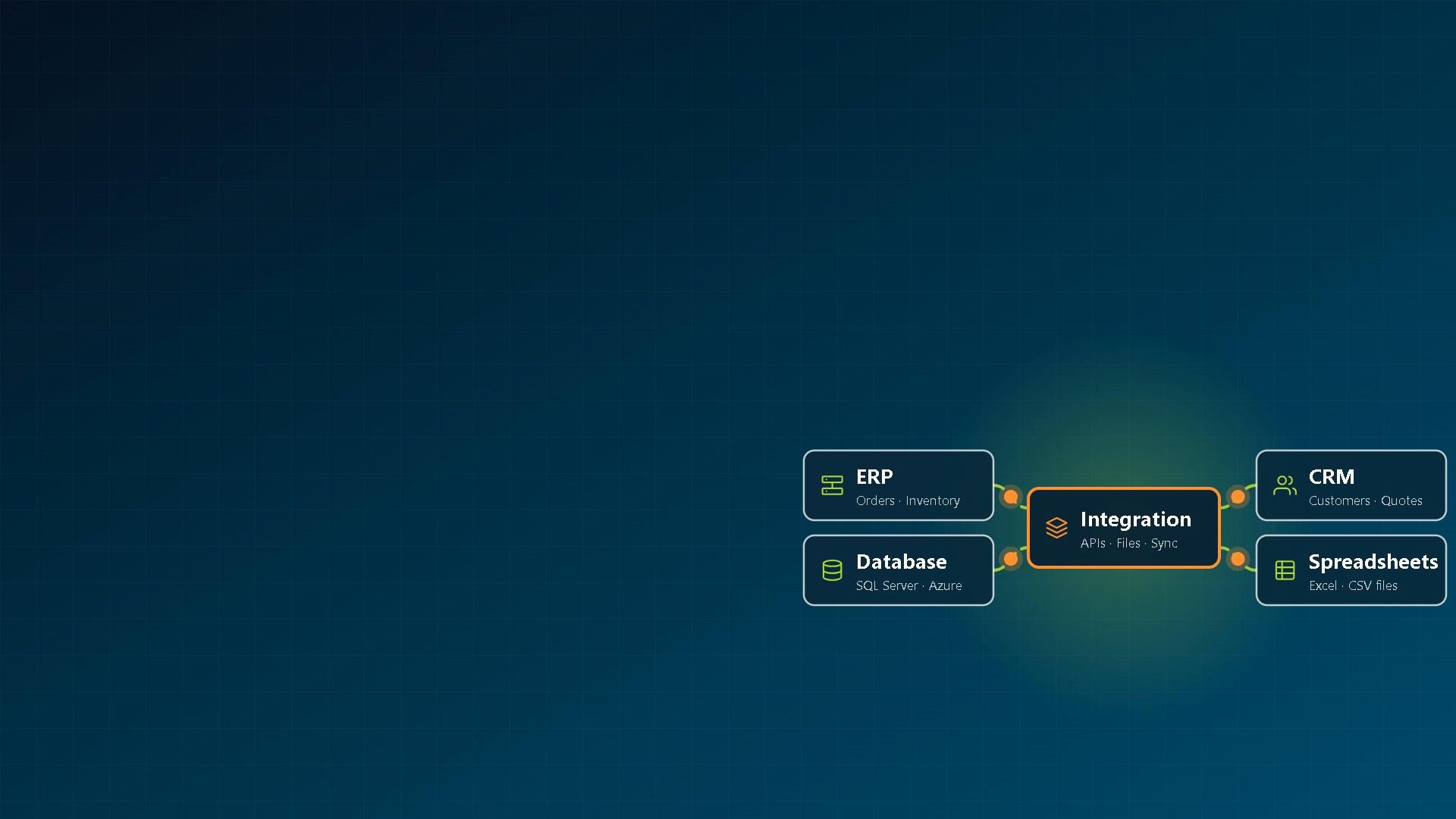
We connect your ERP, CRM, databases, portals and custom applications, so data is entered once and every system has the same numbers.
Trusted By Industry Leading Businesses


Most companies run on more systems than they planned: an ERP, a CRM, a few spreadsheets, a supplier or customer portal, and an older application nobody wants to touch. When those systems don't talk to each other, your employees become the integration layer.
Orders are entered into the CRM, then re-entered into the ERP, creating delays and opportunities for error.

Employees export, edit, and re-import files every week just to move information between systems.

Sales, finance, and operations each report different numbers because data is stored in different systems.

Suppliers and customers need information that's already in your systems, but someone still has to manually check and respond.

A critical application runs part of the business, but sharing data with newer systems is difficult or impossible.

Employees juggle separate usernames and passwords across multiple systems instead of signing in once.
System integration connects your applications so data moves automatically between systems, with validation, logging, and visibility built in. Your team spends less time re-entering information and more time using it.
The biggest benefit of system integration isn't technical. It's giving people accurate information without forcing them to re-enter data, exchange spreadsheets, or chase updates across multiple systems.
Orders, customers, and suppliers are entered one time and automatically shared with the systems that need them.

Eliminate re-keying between applications and validate information as it moves between systems.

Sales, finance, and operations work from consistent data instead of separate spreadsheets and disconnected reports.

Status, orders and approvals move as they happen, not when someone sends an email.
Replace error-prone exports and imports with automated, monitored data exchanges.

More complete data for AI and automation. When information flows between systems, AI tools and automated workflows can work from a broader and more consistent set of business data.
The result: Less duplicate work, fewer errors, more reliable reporting, and business processes that move at the speed of your operations instead of your inbox. Looking to add AI assistants, AI reporting, or workflow automation? AI can be added to any of your systems, connected or not. See AI integration services →
We integrate commercial software, custom applications, cloud services, databases, and legacy systems. Depending on what's available, we connect them through APIs, databases, file exchanges, extension frameworks, or direct application enhancements with custom development.
Examples of integration projects we've delivered for clients across manufacturing, healthcare, government, and other industries.
Custom and home-grown ERPs, SAP S/4HANA, Oracle. Purchasing, sales, forecasting, inventory, supplier, and reporting systems connected so information stays consistent across the business.
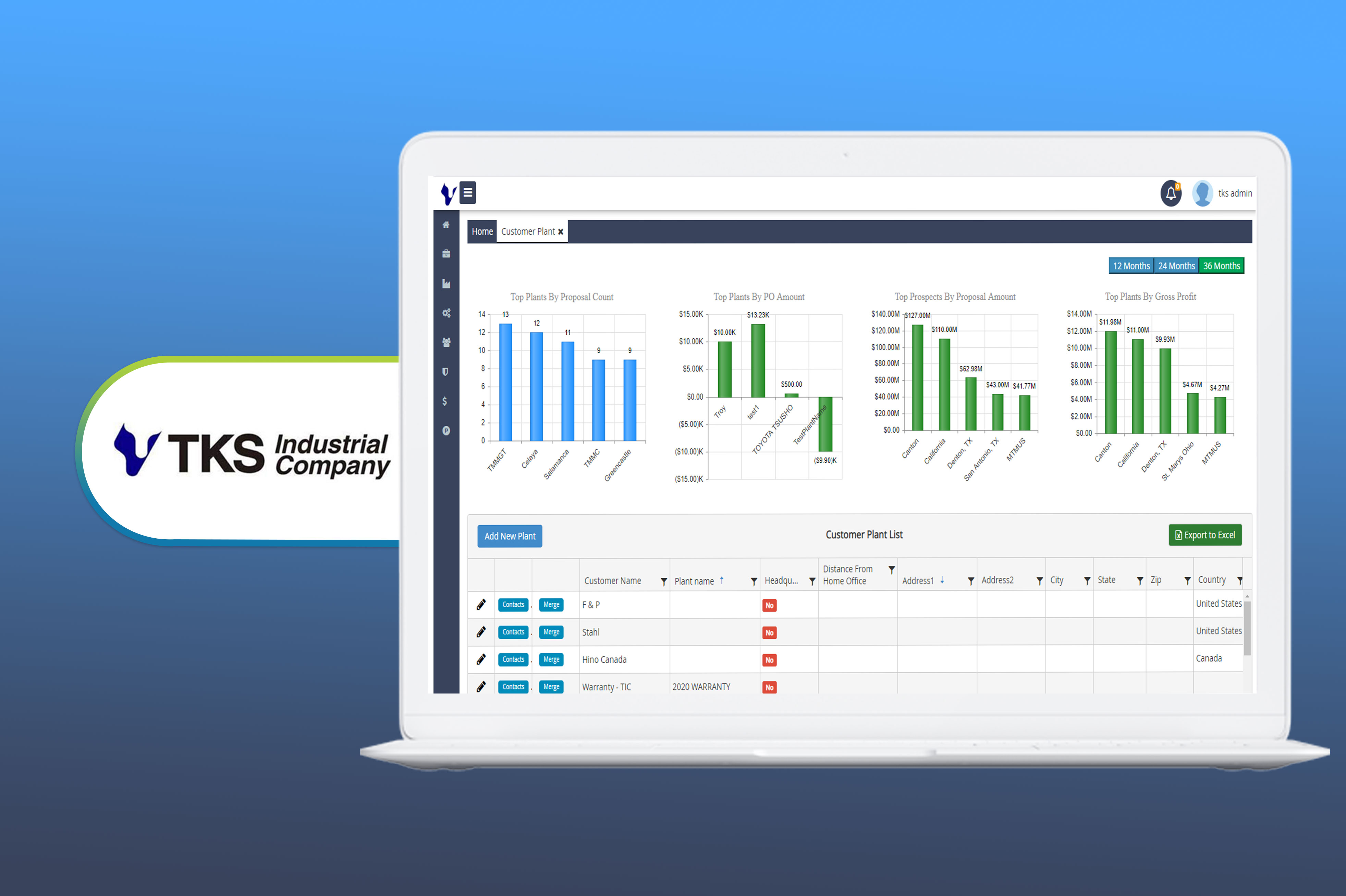
TKS Industrial: supplier portal connected to the purchasing system. See the project →
American MSC: home-grown MRP system and its database. Read the case study →
SanDisk: forecasting flash storage volumes against competitors.
Microsoft Dynamics 365 Sales and Salesforce, connected to your ERP, databases and custom applications.
Graham Healthcare Group: web and mobile applications integrated with Salesforce, including custom business logic and data synchronization. Read the case study →
MEDC: Salesforce data synchronized into a reporting database used by leadership.
EDI and the standard files carriers, banks, benefits providers and trading partners expect.
Solxsys: 834 benefit enrollment (eligibility) files, ACH files sent to several banks, contribution files for Empower, Fidelity, Principal, John Hancock and other providers.
American MSC: EDI integrations.
Modern and legacy databases, spreadsheets, flat files, and business data sources connected into a unified reporting or operational platform.
TKS Industrial: MS Access migrated to SQL Server.
Solxsys: flat files, Excel, CSV and other SQL Server databases migrated to Azure SQL databases.
Moving data once rather than keeping systems in sync? See database development and migration →
ERPs, CRMs, operational systems, and external data sources consolidated for reporting and analytics.
SanDisk: forecasting application integrated with ERP and data warehouse.
MEDC: Salesforce reporting data synchronized to SQL Server.
Supplier, customer, partner and employee portals connected to the systems behind them, with single sign-on.
TKS Industrial: employee intranet integrated with existing applications and the new purchasing and supplier applications, with single sign-on.
Single sign-on with Microsoft Entra ID, Microsoft Teams, and SharePoint document storage through Microsoft Graph.
TKS Industrial: single sign-on in every module.
Kaiser: Microsoft Teams integration for its purchasing portal.
SharpQuest: our HR and recruiting platform stores all resumes and employee documents in SharePoint through Microsoft Graph.
dQuest.ai, our AI document product: supports SharePoint, Dropbox and other cloud storage for documents.
Payment gateways, address validation, messaging, video and notifications built into your workflows.
ReportingMD: Stripe payments in its StoreFront.
Solxsys: Authorize.net payments.
Kibage: address validation with Smarty.
MyCareCentral (Graham Healthcare Group): Twilio video and Firebase.
Manufacturing and shipping equipment connected directly to business systems, eliminating manual data entry and improving accuracy.
American MSC: shipping-label application connected to a weighing machine that records each box's weight.
Your ERP should stay the system of record. We connect it to your CRM, portals, databases and reporting so orders, customers, items and suppliers are entered once and stay the same everywhere.
| Item | Typical integrations |
|---|---|
| Custom ERP or line-of-business application | Customer portals, supplier portals, reporting databases, mobile applications, warehouse systems and external partners. |
| SAP S/4HANA | CRM systems, reporting platforms, supplier portals, custom applications and AI solutions. |
| Oracle | Custom applications, reporting databases, business intelligence tools and partner systems. |
| Microsoft Dynamics 365 Sales | ERP systems, customer portals, custom applications and reporting platforms. |
| Salesforce | ERP systems, mobile apps, customer portals, reporting solutions and business workflows. |
Depending on the platform, we connect systems through APIs, databases, file transfers, event processing, extension frameworks, custom code, and cloud services such as Azure Functions.
Not every system has an API, and that's fine. We pick the method each system supports and the speed the process needs.
When applications provide APIs or when new APIs need to be created for other systems, partners, or mobile applications.
For custom, legacy, or home-grown systems where database integration is the most practical option.
When systems communicate through CSV, Excel, flat files, EDI documents, ACH files, or benefit enrollment files.
When business platforms such as Salesforce, Dynamics 365, or custom ERP systems provide built-in extension capabilities.
When users need one login across multiple business systems.
For scheduled imports, exports, monitoring, synchronization, and long-running integration processes.
Customer orders, status updates, and operational workflows often need real-time integration. Large imports, reporting updates, and reconciliation processes can usually run on a schedule. We help determine the right approach based on the business process.
If a system still supports the business, integration is often faster, less disruptive, and less expensive than replacement. If the application is unsupported, creates security risks, or becomes a bottleneck for future improvements, we'll tell you and discuss application modernization options instead.
Before we write code, you'll know which data moves where, which system is the source of truth, and what happens when something goes wrong.
You tell us which systems you run and where data is re-typed. We reply within two business days.
We identify the source of truth for every major business entity, including customers, products, orders, suppliers, inventory, and pricing data. Then we map how changes move between systems and what happens when records conflict. For larger projects we recommend a paid discovery phase, with no obligation to continue. You get a requirements document or in-scope/out-of-scope list, an estimate and a high-level plan.
We document how data moves between systems, how failures are handled, and how integrations are monitored. Technical specifications are completed before development begins.
Development takes place in two-week (or mutually agreed) sprints with regular demonstrations. Work is completed in development and QA environments using test copies or sandbox versions of your systems.
We verify that data moves correctly between systems, reconcile records against source systems, and complete user acceptance testing with your team before go-live.
We monitor the integration after go-live, address issues, and offer ongoing support and enhancement options, with response targets from same-day to two business days.
After launch: see our support plans.
Ongoing support plans are available with response targets ranging from same-day to two business days.
| Essential | Professional | Premium | |
|---|---|---|---|
| Hours per month | 10 | 20 | 40 |
| Response time | Within 2 business days | Next business day, priority | Same day in business hours, highest priority |
| Covers | Bug fixes, minor configuration, security and maintenance updates, email support | Plus minor enhancements, application maintenance and a monthly review | Plus account oversight, monthly meetings and roadmap guidance |
| Price |
An integration is only useful if people can trust it. These are the standards every integration we build meets.

API calls, file transfers, and background processes are monitored and logged, with alerts when failures occur so issues can be addressed before they affect users.

Failed transactions are logged, retried where appropriate, and made visible so issues can be corrected without losing data.

Integrations follow least-privilege access principles, role-based security, encryption in transit and at rest, and secure development practices based on the OWASP Top 10. Single sign-on through Microsoft Entra ID is supported where appropriate. We sign HIPAA Business Associate Agreements (BAAs) for healthcare projects.
Business rules and validation checks prevent invalid records from spreading across connected systems.

Development, QA, staging, and production environments help ensure changes are tested before deployment to live systems.

Critical data is backed up regularly, and restoration procedures are tested before major deployments and migrations.

Data mappings, integration workflows, API documentation, deployment procedures, and operational notes are provided so your team can support the solution after launch.
Integration work we've delivered, in our clients' own case studies.




Sr. Manager, IT · SanDisk (Western Digital Company)
Manager of Information Systems · TKS Industrial
Based in Troy, Michigan since 2009. We're a business software company, not a hardware or automation integrator: we connect the applications and data your business runs on.
Many integration firms only connect commercial software. We also work inside custom applications, home-grown ERP systems, legacy databases, and business platforms that have evolved over years of internal development.
Everyone working on your project is a SharpQuest employee, providing continuity, accountability, and direct communication throughout the engagement.
We sign your NDA, or use our own, before you share system details.
SharpQuest carries professional liability (E&O) insurance, providing additional protection for clients and projects.
Some clients have worked with SharpQuest for more than eight years, adding new modules, integrations, reports, and business capabilities as their organizations grow.
If the software you need doesn't exist, we can build it. Many projects start with an integration and later expand into custom portals, ERP enhancements, reporting systems, workflow automation, or AI solutions.
We've integrated custom ERP systems, Microsoft Access databases, flat files, EDI processes, Salesforce, SQL Server, and modern cloud platforms. We are comfortable working with both old and new technology. We can also modernize your legacy applications.
Connecting separate software applications and databases, such as an ERP, a CRM, a supplier portal and an older in-house system, so they share data automatically instead of people re-typing it. The result works like one system, even though each application keeps its own job.
Mostly. Application integration services connect software applications to each other; system integration also covers the databases, files, devices and sign-in around them. On a typical project we do both: connect the applications, and the data and logins they depend on.
No. We use APIs where a system has them, and direct database access, file exchange or the platform's own extension points where it doesn't. For a custom application we can add an API to the code.
We integrate custom ERP systems, line-of-business applications, Microsoft Dynamics 365 Sales, Salesforce, Oracle-based systems, SAP S/4HANA, SQL Server databases, Microsoft 365, payment gateways, trading partner EDI systems, and many other business platforms. We can connect systems through APIs, databases, file exchanges, single sign-on, or custom development depending on the capabilities available.
Not if it still does its job. Connecting it is usually faster and lower-risk. If it runs on unsupported technology or blocks the changes you need, we'll suggest modernizing that part.
It depends on how many systems are involved, whether they have APIs, the quality of the data and whether data must move in real time. Integration projects range from simple point-to-point connections between two systems to larger projects involving multiple business applications, databases, and external partners.
It depends on scope. Simple integrations can often be completed in days or weeks, while projects involving multiple systems, data migration, business rules, or third-party vendors typically take longer. After reviewing the scope, we provide an estimate and implementation plan.
Real-time for things people wait on, such as orders, approvals and status updates. Scheduled for reports, large imports and nightly reconciliation. Many projects use both; we agree it with you during discovery.
Each integration gets only the access it needs. We use role-based access, encryption in transit and at rest, single sign-on with Microsoft Entra ID and logging of every call, and follow secure development practices based on the OWASP Top 10. We sign HIPAA BAAs for healthcare projects.
Failures are logged and monitored so issues can be identified quickly. We offer ongoing support plans to maintain integrations, address vendor API changes, and assist with upgrades or enhancements.
Yes. We follow your standards and release process, work with your ERP or CRM vendor's documentation and sandbox, and hand over data maps and API documentation as set out in your contract.
Both. Many clients engage SharpQuest to connect existing systems, but we also build custom applications, portals, APIs, reporting solutions, workflow automation, ERP enhancements, and AI-powered tools when an off-the-shelf solution doesn't exist.
Yes. We regularly connect cloud platforms, on-premises applications, databases, Microsoft 365 services, third-party providers, and legacy business systems. The integration approach depends on the capabilities each system provides.
Yes. SharpQuest is a US software development company headquartered in Troy, Michigan. We deliver system integration and custom software projects for organizations across the United States and work remotely with clients nationwide. When required, we can travel to client locations for requirements, testing or launch.
Yes. AI can be added to a single application or across multiple connected systems. Common uses include document processing, AI assistants, reporting, knowledge search, customer support, workflow automation, and data entry assistance. System integration can help AI access a broader set of business data, but connected systems are not required for AI adoption. See AI integration for ERP and AI integration services.
Ownership of the source code and intellectual property is set out in your contract with us. We agree on it before work starts, so you know exactly what you will own. At handover you get the source code, documentation and environment access your contract covers.
Yes, we sign your NDA, or use our mutual NDA, before you share project details.
Have a question we didn't answer?
Tell us which systems you run and where your team re-types data. We'll tell you how we'd connect them and what it would take.
We respond within two business days.
Tell us what you want to build and we'll set up a free consultation.
We respond within two business days.
Our team will review it and get back to you within 2 business days.
Prefer to pick a time? Book a call with us
Need to talk sooner? Call us at (248) 268-2592 during Eastern Time business hours.