
Data entry from documents
Purchase orders, supplier invoices, packing slips and certificates read by AI and entered as draft transactions for a person to approve.
AI document processing →For custom-built ERPs, SAP S/4HANA, Oracle, Dynamics 365 Sales and Salesforce. No replacement project, no new system for your team to learn.
Your ERP already holds your orders, inventory, customers and suppliers. What it can't do on its own is read the purchase order a customer emailed, notice the invoice that doesn't match the receipt, or answer "Which jobs are behind schedule this week?" without someone building a report. AI can, when it's connected to the ERP properly.
SharpQuest adds AI to the business systems you already run. In a custom ERP or line-of-business application, we build AI features directly into the source code. With SAP S/4HANA, we build custom AI solutions that work alongside it. With Oracle, Dynamics 365 Sales and Salesforce, we build custom solutions that work through their APIs (for Oracle, also directly with the database; for Salesforce, also Apex triggers that call the AI when records change). We've built, modernized and integrated custom ERP and manufacturing systems since 2009, and the ERP always stays the system of record.
Purchase orders, supplier invoices, packing slips and certificates read by AI and entered as draft transactions for a person to approve.
AI document processing →
"What did we ship to Customer X last month?" answered from your ERP data, limited to what that user is allowed to see.

Flag invoices that don't match the PO, orders with unusual quantities or prices, and late deliveries, before they cause problems.

Summarize a customer's order history before a sales call; draft a supplier email about a late shipment.

Find items, customers or past jobs by description, not just exact codes.

Azure OpenAI by default, or OpenAI or Google Gemini on your own account.
Azure OpenAI integration → Custom ERP or line-of-business app
 SAP S/4HANA
 Oracle
 Microsoft Dynamics 365 Sales
 Salesforce
We'll tell you which one fits, including when the built-in option is enough.
Copilot in Dynamics 365, or SAP's or Salesforce's own AI. Quickest when it covers your process; limited to what the vendor ships.
A separate service that reads documents or answers questions. It connects through the system's APIs or database where it has them (Oracle, Dynamics 365 Sales, Salesforce); for SAP S/4HANA it's a custom solution alongside it.
New features inside the application, using its own data model, permissions and workflow. The most seamless for users.
A short checklist, and the basis of the free readiness review.
We look at your ERP, its data and the process with the most manual work.
One use case, on your real data, against a test copy or sandbox of your ERP.
Code changes in a custom ERP, or API/database integration for packaged systems, with the same permissions and audit trail.
AI creates drafts and flags; people approve postings until you decide otherwise.
Monitor accuracy and adjust as your processes change, under a support plan.

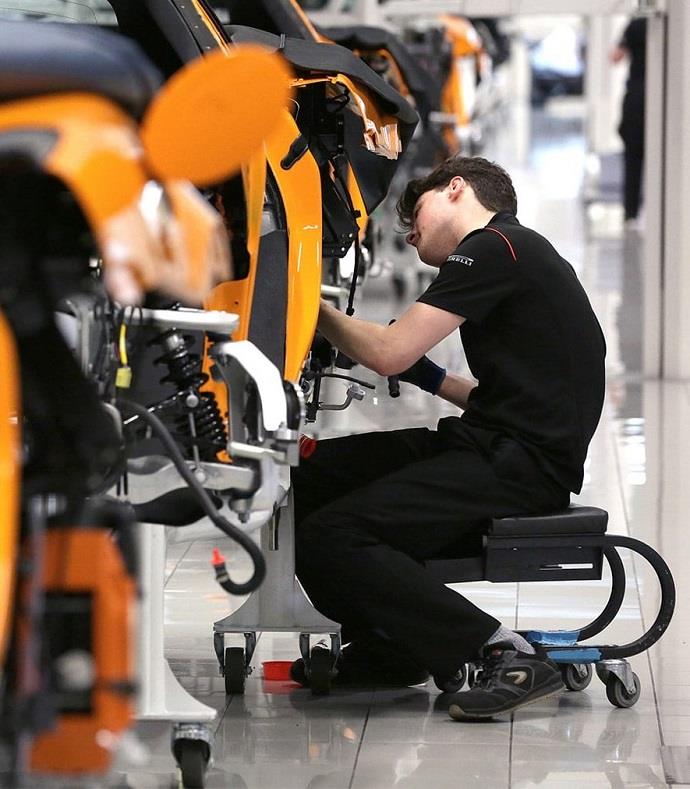
We've built custom ERP and manufacturing systems and integrated applications with existing ERPs and data warehouses for clients like TKS Industrial and SanDisk.
In a custom ERP, AI features use its own data model and security.
Custom ERP, SAP, Oracle, Dynamics 365 Sales and Salesforce.
Azure OpenAI by default, or OpenAI or Google Gemini. Member of the Microsoft AI Cloud Partner Program.
Projects run and delivered from Michigan.
Sr. Manager - IT, SanDisk (Western Digital Company)
The SharpQuest team built an easy-to-use application that is well integrated with our existing ERP/data warehouse. It was well received by the business users due to its user-friendly UI, accuracy of data, and responsiveness.
IT Manager, TKS Industrial Company
When I first began working with SharpQuest, I was really out of my lane. The team has always assisted with providing clear guidance on the projects we have worked together on. We have really updated the use of the sql database, and it continues to evolve. They are very much in tune with what we ask, and can usually create this to work exactly the way we ask. It's a pretty high quality tracking space.
No. AI is added to the ERP you have, either inside its code or next to it through its APIs. The ERP stays the system of record.
Custom-built ERPs and business applications whose source code we can change; SAP S/4HANA (custom AI solutions alongside it); Oracle (APIs or direct database access); Microsoft Dynamics 365 Sales; and Salesforce (Apex triggers and APIs).
Sometimes, and we'll say so. Copilot in Dynamics 365 and the AI in SAP or Salesforce cover common tasks. Custom AI makes sense when your process, documents or data are specific to your business, or when you need AI in a step the built-in tools don't reach.
Only if you want it to. We usually start with AI creating drafts and flags that a person approves, and automate fully only where the results have proven reliable.
By default the AI runs on Azure OpenAI, where Microsoft states your data isn't used to train the models. The AI only sees the data a feature needs, with the same user permissions the ERP enforces, and every AI action is logged.
Often yes, if we can work on the code. If parts of it are on unsupported technology, we may suggest modernizing those parts first; we do that work too.
Usually the highest-volume manual task: entering purchase orders or supplier invoices from documents. It's easy to measure and pays back quickly.
A pilot on one use case takes 2 weeks or more, depending on scope; building it into your production ERP takes 8 weeks or more, depending on the system and the number of integrations.
It depends on the use case, the system and how much needs to change. We start with a free readiness review and a pilot scoped to one use case, so you see results before committing to a full integration.
We do, under a monthly support plan: Essential (10 hours, response within 2 business days), Professional (20 hours, next business day) or Premium (40 hours, same day during business hours). It can sit alongside your ERP support if we already provide it.
Tell us which ERP you run and where your team spends the most time on manual work. We'll tell you what AI can do there and whether your system is ready.
Tell us what you want to build and we'll set up a free consultation.
Our team will review it and get back to you within 2 business days.
Prefer to pick a time? Book a call with us
Need to talk sooner? Call us at (248) 268-2592 during Eastern Time business hours.